
Share


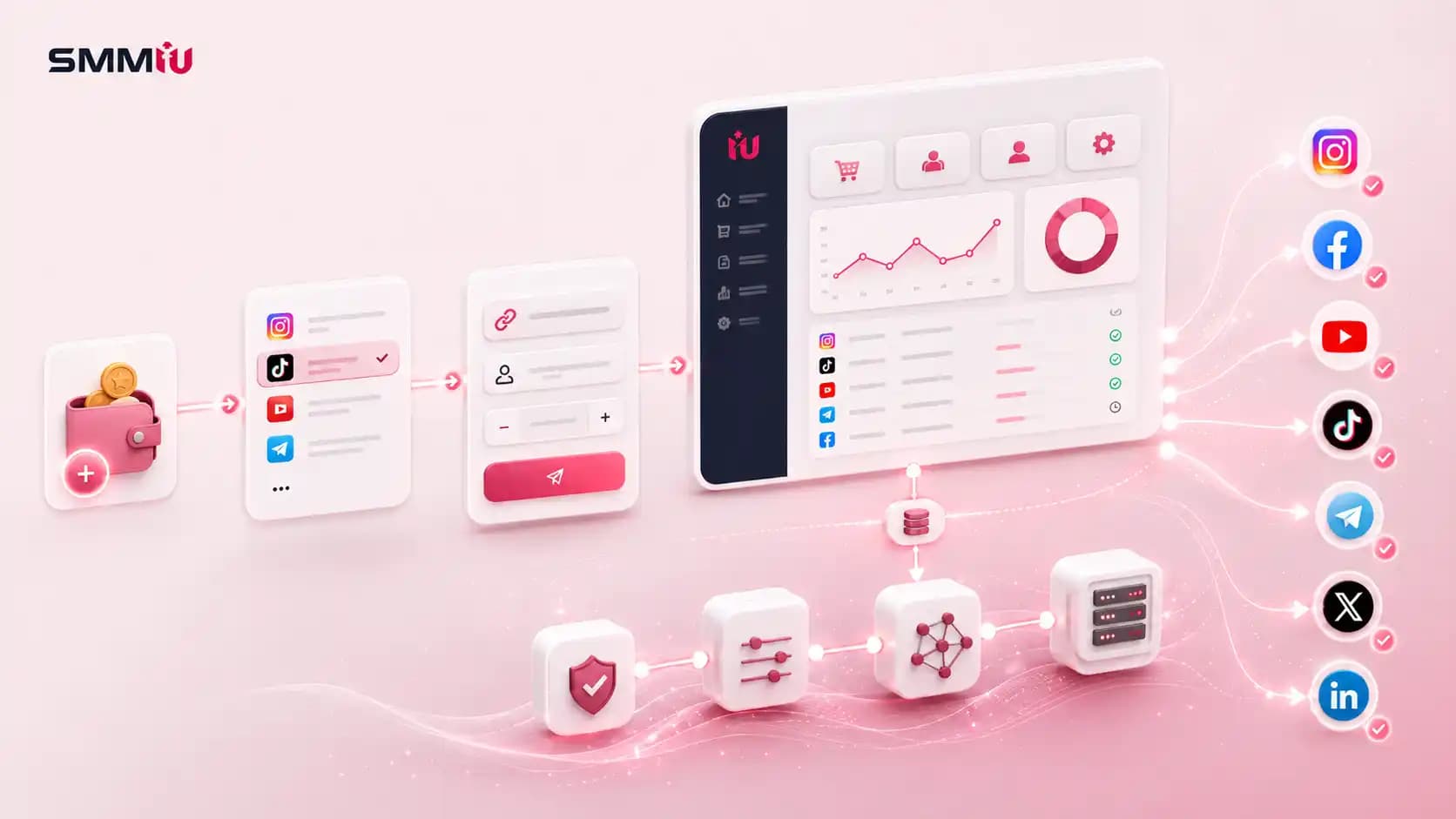
An SMM panel works as an order management and fulfilment system. You add funds to a prepaid balance, pick a service ID, submit a public link and a quantity, and the panel validates the request, deducts the charge, routes the order to a fulfilment source, then mirrors that source’s status back to your dashboard.
The part most guides skip is that the panel usually does not deliver anything itself. It records your request and passes it down a chain. Understanding that chain is the difference between knowing why an order stalled and refreshing the page hoping something changes.
I have placed orders for panels and looked at their operational side. This guide walks the whole path, from the moment you click submit to the moment a platform decides whether to keep what was delivered.
The Short Version
Here is the full sequence in one pass.
- You select a service, and the panel reads its Service ID, current rate, minimum, maximum and delivery rules.
- You submit a link and a quantity. The panel validates the format, the limits and your balance.
- The charge is calculated from the rate per 1,000 and deducted from your balance.
- The panel creates an order record with an Order ID and saves your current count as the start count.
- A routing system decides where the order goes: an internal source or an external provider over an API.
- The provider queues the order and begins delivery through whatever network it uses.
- The provider reports a status. Your panel polls for it and mirrors it onto your dashboard.
- The social platform independently reviews the resulting activity and keeps, discounts or removes it.
Steps 1 to 7 belong to the panel. Step 8 does not, and that is where almost all confusion starts.
What an SMM Panel Is, in One Paragraph

An SMM panel is a dashboard for ordering social media services such as followers, likes, views and comments. It is the storefront and the order desk, not the delivery network and not the social platform. If you want the full definition, the service types and who uses them, our guide on what an SMM panel is covers that ground. This article stays on the mechanics.
Layer 1: Your Account and What the Dashboard Actually Holds
Signing up does more than create a login. It creates a user record that the whole system hangs off.
That record holds your balance ledger, your order history, your ticket history, your affiliate data if the panel has it, and an API key generated automatically whether you ever use it or not. Every order is stored against that user ID, which is why order history is the only reliable record of what you bought and when.
The dashboard itself is nearly identical across panels because most run on the same commercial scripts. You get:
- A service list showing Service ID, name, rate per 1,000, minimum, maximum and description
- An order form with a service selector, a link field and a quantity field
- A balance display and a deposit page
- An order history table with Order ID, link, charge, start count, quantity, status and remaining amount
- A refill or ticket option attached to eligible orders
- An API page holding your key and the endpoint documentation
- Often a mass order tool and a drip-feed scheduler
Your Panel Login and Your Social Login Are Two Unrelated Things
This is worth being blunt about, because it is the most exploited misunderstanding in the industry.
Your panel account is a customer account on a website. It has no connection to Instagram, YouTube, TikTok or Facebook. The panel never authenticates against those platforms and never needs to, because everything it does is aimed at a public URL from the outside.
So for a standard public-link service, there is no technical path by which a panel would need your social password, your recovery email or your two-factor code. If a panel asks, that is not a feature you misunderstood. It is a credential harvest.
Use a fresh password on the panel too. Reused passwords are how one leaked database turns into several compromised accounts.
Layer 2: The Balance, and Why Panels Are Prepaid
Almost every panel runs on a prepaid wallet instead of charging per order at checkout, and there is a practical reason for it.
Individual orders are often worth a few cents. Running a card transaction on a four-cent order would cost the panel more in gateway fees than the order is worth. So panels collect money once, hold it as balance, and deduct from that ledger per order.
How the Charge Is Calculated
Panel rates are quoted per 1,000 units. The formula is:
charge = (rate ÷ 1000) × quantity
A service listed at $0.90 per 1,000 with an order of 2,500 costs $2.25. That amount leaves your balance the moment the panel accepts the order, not when delivery finishes.
A Deduction Does Not Mean Delivery Started
Money leaving your balance only proves the panel accepted and recorded the order. Routing happens after that, and routing can still fail.
The reverse is also true. A provider-side failure does not automatically produce an instant refund. The panel has to receive a failure status, process it, then adjust your balance. That is a separate operation, and on some panels it runs on a schedule rather than immediately.
How Partial Refunds Are Calculated
When an order goes Partial, the panel does not refund the whole charge. It refunds the undelivered portion:
refund = (rate ÷ 1000) × remaining quantity
On a 1,000 order at $0.90 where 700 units were delivered, roughly $0.27 comes back. It lands in your panel balance, not on your card. That is a policy choice rather than a technical limit, but it is close to universal.
There Are Three Separate Records, Not One
When something goes wrong, this is what makes support conversations confusing:
- The payment transaction sits with the payment gateway
- The panel order sits in the panel’s own database under its Order ID
- The provider order sits with whoever actually fulfilled it, under a different ID
These three are linked but not identical. A gateway can confirm a payment while the panel order failed. A panel order can exist while the provider order was never created. That is exactly why support asks for your Order ID instead of a payment screenshot, and why "I paid, so where is my order" is not a question anyone can answer without it.
Layer 3: The Service Catalogue and the Service ID
The service name is for you. The Service ID is for the system.

Every row in a panel’s service list carries a numeric ID, and that ID is what the backend actually uses. It maps to:
- The fulfilment source the order will be sent to
- The current rate per 1,000
- The minimum and maximum order quantity
- The service type, which decides what fields the order form shows
- Refill eligibility and the length of the guarantee window
- Any geographic or account-type restriction attached to it
Service Types Decide What the Order Form Asks For
- Default: service, link and quantity. The most common type by far.
- Custom comments: you paste a list of comments instead of a quantity, and the number of lines becomes the quantity.
- Drip-feed or package: adds runs and interval, so the request is split into scheduled batches.
- Subscription: you supply a username plus a minimum and maximum, and the system watches for new posts and creates orders automatically.
- Poll or vote: needs the specific answer option alongside the link.
- Comment likes: needs the username of the comment author as an extra field.
Why Two Services With the Same Name Behave Differently
Two rows can both read "Instagram Followers." One is Service ID 112, routed to Provider A, priced at $0.42 with a 30-day refill. The other is Service ID 908, routed to Provider C, priced at $1.60 with a 365-day refill and a slower speed cap. Same words, different everything.
The description is the contract. The name is a label someone typed into a form.
Why Catalogues Change Without Warning
Panels sync their catalogue from their providers, often daily or hourly. When a provider disables a service, raises a rate or changes a minimum, that change propagates downward automatically. This is why a service you used last month can be gone this month, and why hardcoded Service IDs in an API integration break if you do not re-sync.
Layer 4: Order Validation
Before an order becomes real, the panel runs a set of checks. Anything that fails here is rejected at the form, before payment.
- Is the service currently enabled?
- Is the quantity inside the minimum and maximum for this Service ID?
- Does the link match the format the service expects?
- Is your balance enough to cover the charge?
- Are the extra fields present for this service type?
- Is there already an active order on the same link and metric?
Validation only checks the shape of the request. It does not check whether your link is the right link. A perfectly valid Instagram URL pointing at the wrong post passes every check, then delivers to the wrong post.
Layer 5: Order Routing, or Where Your Order Actually Goes
Once validated, the panel has to decide who fulfils the order. There are four patterns.

Direct Fulfilment
The panel operator controls the source and handles delivery inside its own environment. This is the rarest arrangement, and it is what people mean by a main or master panel.
Single-Provider Routing
The panel maps each of its Service IDs to one corresponding service at one supplier. Your order is forwarded one-to-one. Simple, and easy to diagnose when it breaks.
Multi-Provider Routing
The same service is mapped to several suppliers, and a rule decides which one gets your order. Rules can be based on price, current stock, past success rate, geography or a manual admin override. Two identical orders placed an hour apart can land at two different suppliers.
Reseller Chain Routing
One panel forwards to another panel, which forwards again. You see only the first dashboard, but three or four systems can sit between your order form and whoever actually delivers.
What the Chain Means for You
- Price: every link in the chain adds a margin, so the same underlying service costs more the further down you buy
- Support distance: a panel three links from the source cannot investigate a delivery failure, only forward your ticket
- Speed: each hop adds sync delay to status updates
- Consistency: with multi-provider routing, the same Service ID can behave differently week to week
Layer 6: How the API Actually Moves Your Order
The SMM industry converged on a single format years ago, usually called API v2. It is one endpoint, a POST request, form-encoded fields, and JSON coming back. No REST paths, no OAuth, no request bodies. It is unglamorous, which is exactly why it works everywhere and why a panel can connect to a new supplier in an afternoon.
These are the actions that make the system move.
| Action | What it does | Key fields sent | What comes back |
|---|---|---|---|
| services | Pulls the full catalogue | key | Service ID, name, type, rate, min, max, category |
| add | Creates an order | key, service, link, quantity (plus runs and interval for drip-feed) | An order ID |
| status | Checks one order | key, order | Charge, start count, status, remains, currency |
| multi status | Checks many orders at once | key, orders (comma separated) | The same fields per order |
| refill | Requests a refill | key, order | A refill ID |
| refill status | Checks a refill request | key, refill | The refill state |
| cancel | Requests cancellation | key, orders | Accepted or rejected, per order |
| balance | Reads account balance | key | Balance and currency |
Your Order Has Two IDs
When a panel forwards an order, it stores its own Order ID and the provider’s Order ID side by side. You only ever see the first one. Support sees both, which is why they can tell you things your dashboard cannot.
Status Does Not Push, It Gets Pulled
Most panels poll. A scheduled job asks the provider for status on all open orders at a set interval, then writes the answer back to your dashboard. There is always a lag between the provider finishing and your dashboard saying Completed.
Refreshing your browser does not shorten that gap, because your browser is not what asks.
Layer 7: Where the Followers, Likes and Views Actually Come From
This is the part panels are vaguest about, and it decides everything you care about: retention, drop rate, price and risk.
| Source | What it actually is | Retention | Usually sold as |
|---|---|---|---|
| Bot accounts | Bulk-created profiles with no photo, no posts and no activity beyond what makes them look like users | Lowest | Cheap followers and likes |
| Click farm accounts | Real people on real devices in low-wage markets, paid a tiny amount per action | Low to medium | "Real", "active" |
| Incentivized users | App users who follow or like in exchange for points, coins or rewards | Low to medium | "Real users" |
| Engagement exchange pools | Accounts that interact with each other to earn credits | Low | "Organic", "pod" |
| Compromised accounts | Hijacked real profiles used without the owner’s knowledge | Varies | Any label |
| Ad and redirect traffic | Paid placements or redirects that generate views or plays | Medium | "High retention views" |
| Genuine targeted traffic | Real users reached through actual promotion | Highest | "Premium", "targeted" |
Two things follow from that table.
First, "real" in a service name is a marketing word, not a technical standard. A click farm account is operated by a real human being. It is still not a person who wants your product.
Second, price is the most honest signal you have. Bulk-created accounts cost almost nothing to produce, so they can be sold for almost nothing. Anything approaching genuine traffic costs real money to acquire, so it cannot be cheap. When a service sits far below its category, sourcing is what got cut.
It is worth knowing that some of this sits in a legal grey area rather than only a policy one. In the United States, the FTC’s Consumer Reviews and Testimonials Rule, in force since October 2024, prohibits buying fake indicators of social media influence, defined to include followers and views generated by bots or hijacked accounts, where the buyer knew or should have known and used them to misrepresent commercial influence.
How Delivery Actually Works?

Start Count
When the panel accepts your order, it records your current count as the start count. Everything after that is measured as a change from that number, not as an absolute.
This matters more than it sounds. If your post picks up organic likes during delivery, some systems count those toward the order. If your count falls for an unrelated reason, the arithmetic ends up looking wrong. The start count is also what a refill request later compares against.
Remains
The remains value is the gap between what you ordered and what the provider reports as delivered so far. When remains reaches zero, the order is marked Completed. When delivery stops with remains above zero, it becomes Partial.
Drip Feed Is Scheduled Sub-Orders, Not a Slower Order
Drip feed splits your request into runs and fires one every interval. Ten runs of 100 at a 60-minute interval is ten separate deliveries spread across ten hours.
Because each run is its own delivery, a drip-feed order can fail halfway. Runs three and four complete while run five fails because the provider ran out of stock. That produces an odd-looking order history, and it is normal.
Speed Is a Cap, Not a Promise
"5K per day" describes the maximum the provider will push, not what you will get. Actual pace depends on queue depth, how many orders sit ahead of yours, and stock availability for that specific service at that moment.
Why Going Private Breaks an Order Mid-Delivery
Delivery is an external process aimed at a public URL. If the profile goes private, the post is deleted, or the username changes, the delivery system loses its target. It cannot log in and find you.
Most orders in that state stop where they are and cannot be resumed, because the panel cannot prove what was delivered against a target it can no longer read.
How Order Statuses Are Generated
Statuses do not originate in your panel. They come from the fulfilment source, and your panel mirrors them.
| Status | What it means technically | What it does not mean |
|---|---|---|
| Pending | Order recorded, not yet picked up by the fulfilment source | That something has gone wrong |
| In progress | The source accepted it, and delivery has begun | That it will finish |
| Completed | The source reported remains at zero | That the platform counted or kept it |
| Partial | Delivery stopped with quantity remaining, and the undelivered value is returned | That you did something wrong |
| Cancelled | The order could not start, or was stopped before delivery | That the refund has already been processed |
| Refilling | A refill request was accepted and is being worked on | That the drop is guaranteed to be replaced |
The line worth memorising: Completed is a statement about the delivery system, not about the social platform.
What Happens After Completed: The Platform Layer
Nothing in the panel process asks the social platform for permission. Delivery happens from the outside, and the platform reviews the result on its own schedule.

YouTube’s fake engagement policy prohibits artificially inflating views, likes, comments and subscribers, and states that creators stay responsible for what third-party services do on their behalf. YouTube also corrects view counts periodically by removing engagement it judges illegitimate, often long after a video has collected most of its activity.
Meta runs the same cleanup at scale. It removes hundreds of millions of fake accounts per quarter and still estimates that a few per cent of monthly active users are fake at any given time. When those accounts go, anything they did to your page goes with them.
That is the actual mechanism behind drops. Nothing expired. A platform swept the accounts that delivered your order.
How Refill Works Technically
A refill is not the panel giving you more of what you bought. It compares your current count against the start count plus what was delivered, and if the shortfall falls inside the guarantee window and the service is refill-eligible, it queues a fresh delivery to close the gap.
Which is why refill fails in predictable ways. Outside the window, no refill. Service not refill-eligible, no refill. Target changed since the original order, no refill, because the comparison no longer works.
Why SMM Panel Prices Are So Low
Four things compound.
- Cost of production. A bulk-created account costs a fraction of a cent to make and can perform many actions before it is removed.
- Volume. Providers deliver millions of actions daily, so per-unit cost collapses.
- No human touch. From order to delivery to status, nothing needs a person. Automation removes the cost that normally makes tiny orders unviable.
- Competition down the chain. Reseller panels resell the same wholesale catalogue, so retail margin on commodity services is thin by default.
The low price is not a discount on a good product. It is an accurate price for what is being produced.
Where Orders Fail, and Which Layer Caused It
Most support tickets are really a question about which layer broke. Here is the map.
| Layer | What it looks like | What actually helps |
|---|---|---|
| Validation (panel) | Order rejected at the form | Fix the quantity, link format or balance |
| Routing (panel to provider) | Order sits Pending far past the stated start time | Ticket with the Order ID, so the panel can re-route or refund |
| Fulfilment (provider) | Order goes Partial, or delivery stalls halfway | Confirm the target is still public, then ticket with the Order ID |
| Target (your side) | Order fails after it had already started | Make the profile public again, restore the post, stop changing the username mid-order |
| Platform (social network) | Count rises, then falls back days later | Request a refill if eligible. Otherwise nothing the panel can do |
Refreshing the dashboard fixes none of these. Identifying the layer is the whole job, and it is why support asks for the Order ID before anything else.
What an SMM Panel Cannot Do
- It cannot make a platform count or keep what was delivered
- It cannot influence the algorithm, recommendations or monetisation review
- It cannot guarantee retention, because it does not own the accounts doing the delivering
- It cannot deliver to a private, deleted or renamed target
- It cannot turn a metric into a customer
Does Knowing This Change How You Order?
It should change a handful of habits.
- Order by Service ID, not by service name, and note the ID you used
- Test one small order before scaling, using the same Service ID and link type you plan to run
- Keep the target public and unchanged from submission through to completion
- Record the start count yourself, because it is your only independent check on what was delivered
- Use drip feed whenever the service supports it
- Check the refill window before you order, not after the count falls
- Have the Order ID ready before you open any ticket
- Judge a panel on its service descriptions and its support, not its homepage
Frequently Asked Questions
How long does an SMM panel order take to start?
The listed start time is an estimate based on recent provider performance, not a guarantee. Zero to one hour is common on high-volume services. Anything with a specific source or country target usually starts slower because the pool it draws from is smaller.
Why is my order still pending?
Pending means the panel recorded the order but the fulfilment source has not picked it up yet. Usually that is queue depth. Occasionally it is a routing failure, where the provider is offline or the service ID no longer maps. If it sits well past the stated start time, send the Order ID to support.
Does an SMM panel need my password to deliver?
No. Delivery is aimed at a public URL from outside the platform, so there is no step in the process that requires account access. Any panel asking for a password, recovery email or two-factor code is trying to take the account.
What is the difference between start count and remains?
Start count is your metric at the moment the order was accepted. Remains is how much of the ordered quantity has not been delivered yet. Delivery is measured as the change from the start count, which is why the two numbers together tell you what actually happened.
Why did my order go partial?
The fulfilment source stopped before delivering the full quantity, usually because it ran out of stock for that service or the target became unreadable. The undelivered portion is normally credited back to your panel balance.
Can I cancel an order after placing it?
Only if the fulfilment source supports cancellation and the order has not started. Once delivery is in progress, cancellation usually is not possible, because the provider cannot unwind what has already been sent.
Final Thoughts
An SMM panel is an order desk sitting on top of a delivery chain it mostly does not own. It validates your request, charges your balance, routes the order outward, and reports back whatever the source tells it.
Once you can see those layers separately, the frustrating parts stop being mysterious. A Pending order is a routing question. A Partial order is a stock question. A count that falls a week later is a platform question, and no amount of messaging support will change it.
Order by Service ID, keep the target public, save the start count, and read the description before you spend. That is most of what separates people who get predictable results from people who open tickets.
Share